 Snap
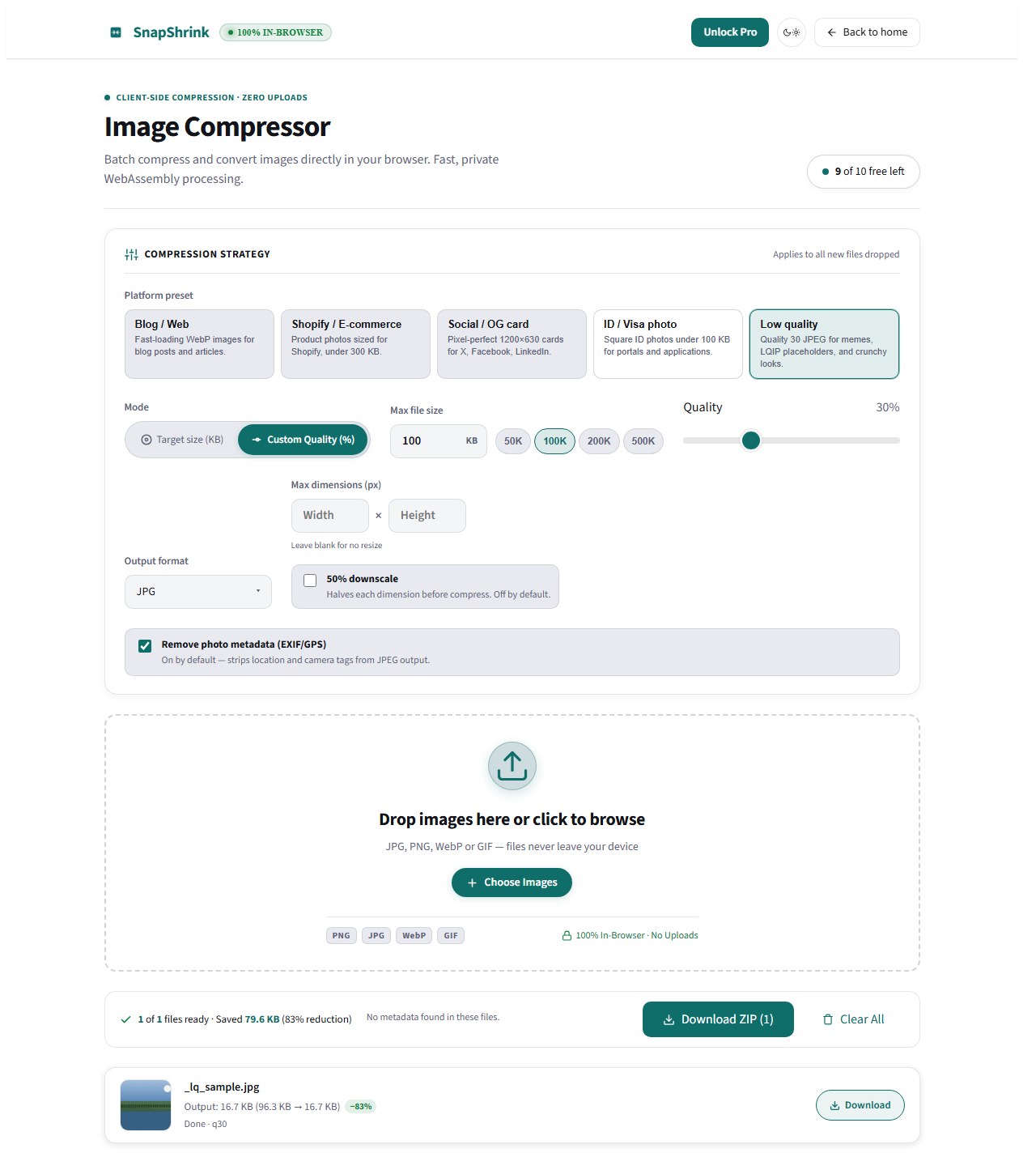
SnapPreset · Quality 30
Low Quality Image Maker
A low quality image maker does the opposite of every other tool on this site: it makes your image worse — on purpose. Crank the compression until the JPEG artifacts show, shrink the dimensions until it pixelates, or do both. The result is a smaller, rougher file that's perfect for memes, blur-up placeholders, and retro-styled graphics.
SnapShrink runs entirely in your browser, so the photo you degrade never leaves your device. Set the quality slider, watch the file size update live, and download.
Opens /app/ with the Low quality preset · first 10 free per session
Why make an image lower quality on purpose?
- Blur-up (LQIP) placeholders. Modern sites show a tiny, ultra-compressed copy of an image while the full one loads — it feels instant. A 3000×2000 photo at quality 30 can be under 130 KB; at half dimensions, under 40 KB. That's your placeholder.
- Memes and deep-fried edits. The crunchy, over-compressed look is the aesthetic. Low quality JPEG re-encoding is the whole point.
- Retro and lo-fi graphics. Pixelated thumbnails, VHS-style stills, and "screenshot of a screenshot" textures all start with deliberate quality loss.
- Hard file caps. Forum avatars, upload forms, and email attachments with 100–200 KB limits don't care about beauty. They care about bytes.
The three levers that make an image "worse"
- Quality. The JPEG quality slider is the main lever. Quality 90–100 is visually clean; 50–70 shows light compression; 10–40 produces obvious artifacts. Below ~20, blockiness dominates.
- Dimensions. Halving each dimension quarters the pixel count. A 3000×2000 photo becomes 1500×1000 — and combined with low quality, the file collapses.
- Format. JPEG is the format for "worse": lossy by design. PNG is lossless, so lowering quality doesn't apply to it — it only shrinks via downscaling. WebP gives the smallest files of all at the same visual damage.
SnapShrink shows you the output file size live before you download, so you tune to a number, not a feeling.
Quality slider guide
| Goal | Quality | Dimensions | Expect |
|---|---|---|---|
| LQIP placeholder | 20–30 | 50% | Tiny file, recognizable blur |
| Meme / crunchy look | 10–30 | keep or 50% | Visible artifacts, the aesthetic |
| Avatar under a cap | 30–50 | downscale to fit | Clean enough, small enough |
| Email attachment | 50–70 | as-is | Smaller, barely noticeable |
If you're targeting an exact file cap, use exact-KB mode instead: type 100 and the tool aims for at or under 100 KB — if it can't get there, it shows the best size it got. See Compress Image to 100KB.
Reference test (Pillow encoder): one photo, five quality settings
Same 3000×2000 photo, re-encoded at different JPEG quality levels. These are measured lab numbers (Pillow/libjpeg reference encoder; browser output lands within a few percent — SnapShrink shows the exact size live before you download):
| Quality | File size | vs original |
|---|---|---|
| 100 | 858 KB | baseline |
| 90 | 311 KB | 64% smaller |
| 70 | 234 KB | 73% smaller |
| 50 | 196 KB | 77% smaller |
| 30 | 126 KB | 85% smaller |
| 10 | 103 KB | 88% smaller |
| 30 + half dimensions (1500×1000) | 35 KB | 96% smaller |
| 30, WebP format | 34 KB | 96% smaller |
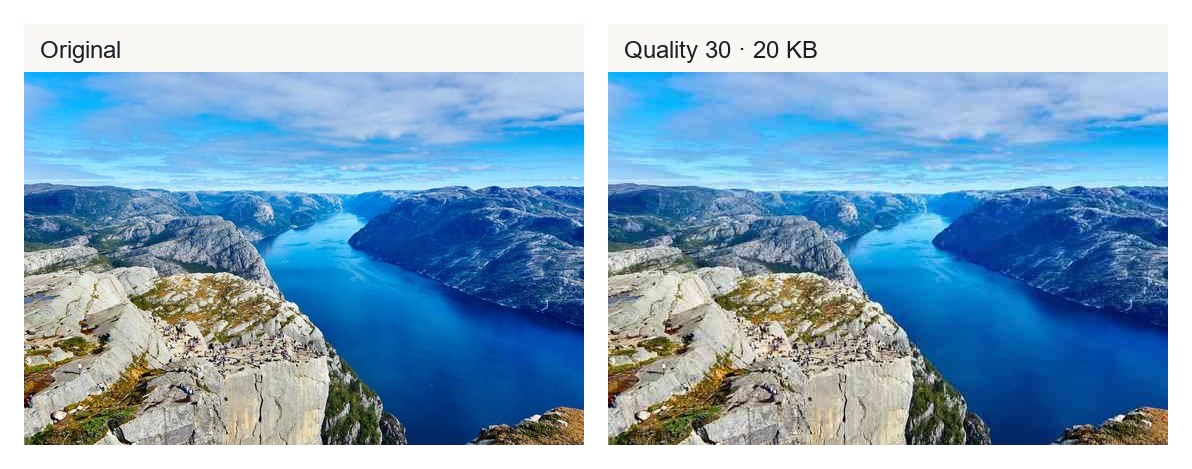
Two takeaways: dropping from 90 to 30 saves more than half the file, and combining downscale with low quality is what gets you to placeholder territory. If you need smaller still, WebP beats JPEG at the same quality.
Private by design
Most "low quality" meme tools ask you to upload your photo to their server, then slap a watermark on the result. SnapShrink processes everything in your browser tab — the image never leaves your device, there's no account, and downloads have no watermark. Every output also ships without EXIF metadata (why that matters).
Batch mode handles 10 images per session for free: drop a folder of screenshots, set one quality level, download them all at once. See the bulk image compressor for batch habits. SnapShrink Pro ($9, one-time) removes the batch cap. Full policy: privacy.
Frequently asked questions
What is a low quality image maker?
A tool that deliberately reduces an image's quality — via compression, downscaling, or both — instead of preserving it. It's used for memes, blur-up placeholders, retro graphics, and squeezing files under upload caps.
Why would I make an image lower quality on purpose?
The four common reasons: LQIP/blur-up placeholders for fast-loading sites, the crunchy meme aesthetic, retro pixelated looks, and hard file-size limits (avatars, forms, email).
How do I make a JPEG lower quality without resizing it?
Re-encode it at a lower quality setting. In SnapShrink, drop the photo and move the quality slider to 10–40 — the dimensions stay the same while compression artifacts increase and the file shrinks.
What quality should I use for a blur-up placeholder (LQIP)?
Quality 20–30 at 50% dimensions works well. In our test, a 3000×2000 photo at quality 30 and half dimensions came out at 35 KB — tiny enough to inline, recognizable enough to preview the real image.
Does making an image low quality reduce its file size?
Yes, dramatically. In the measured test above, quality 30 was 85% smaller than quality 100, and quality 30 plus a 50% downscale was 96% smaller.
Is it private? Do my photos upload anywhere?
No. All processing happens in your browser on your device. Nothing is uploaded, and output files carry no EXIF metadata.
Can I make low quality versions of many images at once?
Yes — batch mode processes 10 images per session free, all at the same quality setting. Pro ($9 one-time) removes the cap.
Will the low quality version have a watermark?
No. Downloads are clean, no watermark, no account required.
What's better for "worse": JPEG or WebP?
JPEG if you want the classic crunchy artifact look — it's the format of the meme aesthetic. WebP if you want the smallest possible file at a given quality; at quality 30 it matched the downscaled JPEG at ~34 KB without touching dimensions.
Make an image worse — free
No signup. No upload. Free for 10 images per session.